SEO
Your sitemap and robots.txt file help with SEO. The sitemap provides a quick way for search engine bots to discover site pages. The robots file manages search engine bot traffic and tells it to skip the pages in it with "disallow" and other rules. Please read through this Google Robots Guide before making changes to the robots.txt setting.
In order to generate a sitemap, or set the robots.txt settings, you'll need to be logged in to your ACP and navigate to Settings › SEO.
Robots File
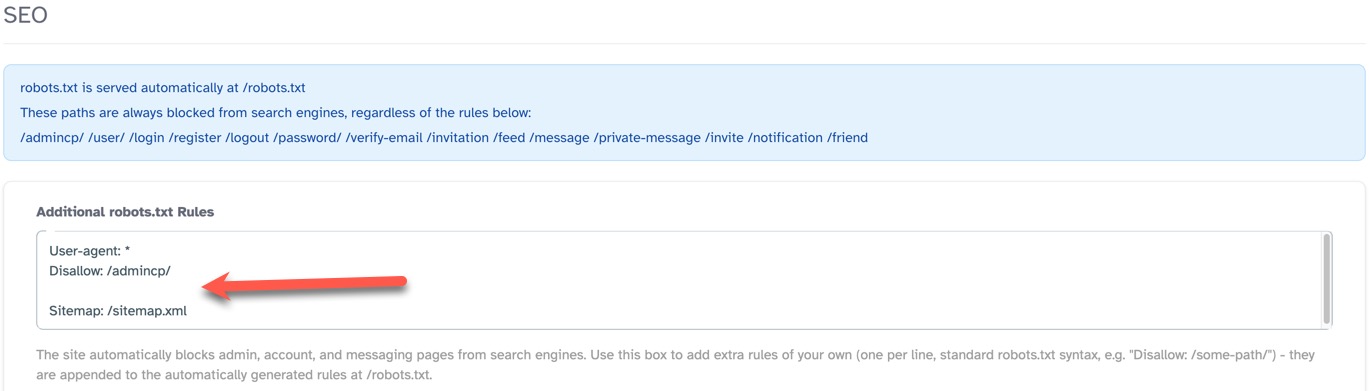
The robots.txt file is already populated with default values for pages that should not be crawled by search engine bots. It also has the path to your sitemap which can further help search engine bots find the sitemap if you've not submitted it to them already. The path to your robots.txt file is "https://yoursite.com/robots.txt" with "yoursite.com" being your own domain.
You can add to this file if there are other pages you want to manage for search engines. The default pages in the robots.txt file are:
/admincp/ /user/ /login /register /logout /password/ /verify-email /invitation /feed /message /private-message /invite /notification /friend
When adding allowed or disallowed pages, please ensure you know how to work with robots.txt .
To add additional pages to the robots.txt file, enter the appropriate values in the input box.
Sitemap
The sitemap is best generated after you've set up your categories for each app you have activated on your site. Once you have those finalized as much as possible, enable the sitemap and generate it. The path to your sitemap for Google and other search engines is "https://yoursite.com/sitemap.xml" with "yoursite.com" being your own domain.
Enable/Disable Sitemap
To enable/disable the sitemap, click the toggle on the right. (See screenshot below) When enabled, the site automatically generates and serves a sitemap.xml file listing site pages for search engines.
Sitemap Change Frequency
How frequently pages listed in the sitemap are likely to change. This is a hint for search engine crawlers. You can choose from Daily, Weekly, Monthly depending on how many changes you may be making to categories, or pages.
Sitemap Default Priority
Sets the default importance of your pages (from 0.0 to 1.0) to tell search engines which content matters most. Tip: You can usually leave this at 0.5, as major search engines now decide priority automatically.
Bing Site Verification
- When you add your site to Bing Webmaster Tools, choose to download the XML file for the verification method.
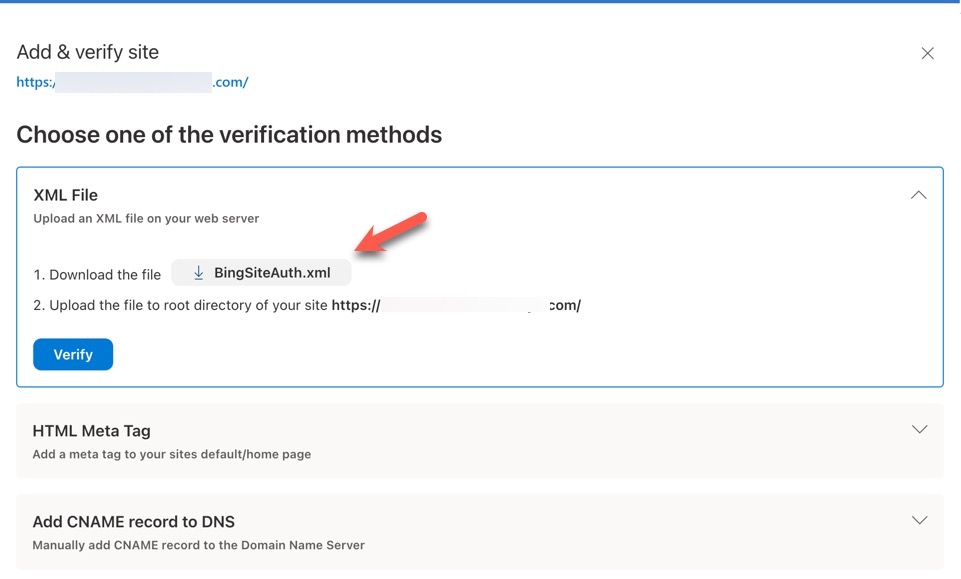
- Open the file with a code text editor such as Sublime Text, Notepad++ (Not notepad but the code editor), Brackets or your favorite code editor. You'll see the following
code:
<?xml version="1.0"?> <users> <user>your user info appears here</user> </users> - Copy the code you see between the
<usertags. Here's a screenshot: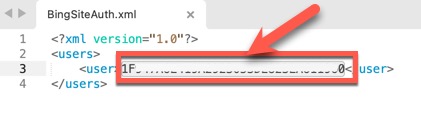
- In the "Bing Site Verification" input, add the verification info you got from Bing via the XML file verification.

- Click Generate Sitemap to generate the code in the site pages.
- Save Changes when done and then click to Verify at Bing.
Generate Sitemap
Scans all published content and publishes sitemap-pages.xml, sitemap-forums.xml, sitemap-topics.xml, sitemap-blogs.xml, sitemap-photos.xml, sitemap-videos.xml, sitemap-members.xml, and robots.txt to the root of your CDN storage, along with a sitemap.xml index that automatically references the sitemap files.
When you want to generate the sitemap, click Generate Sitemap.
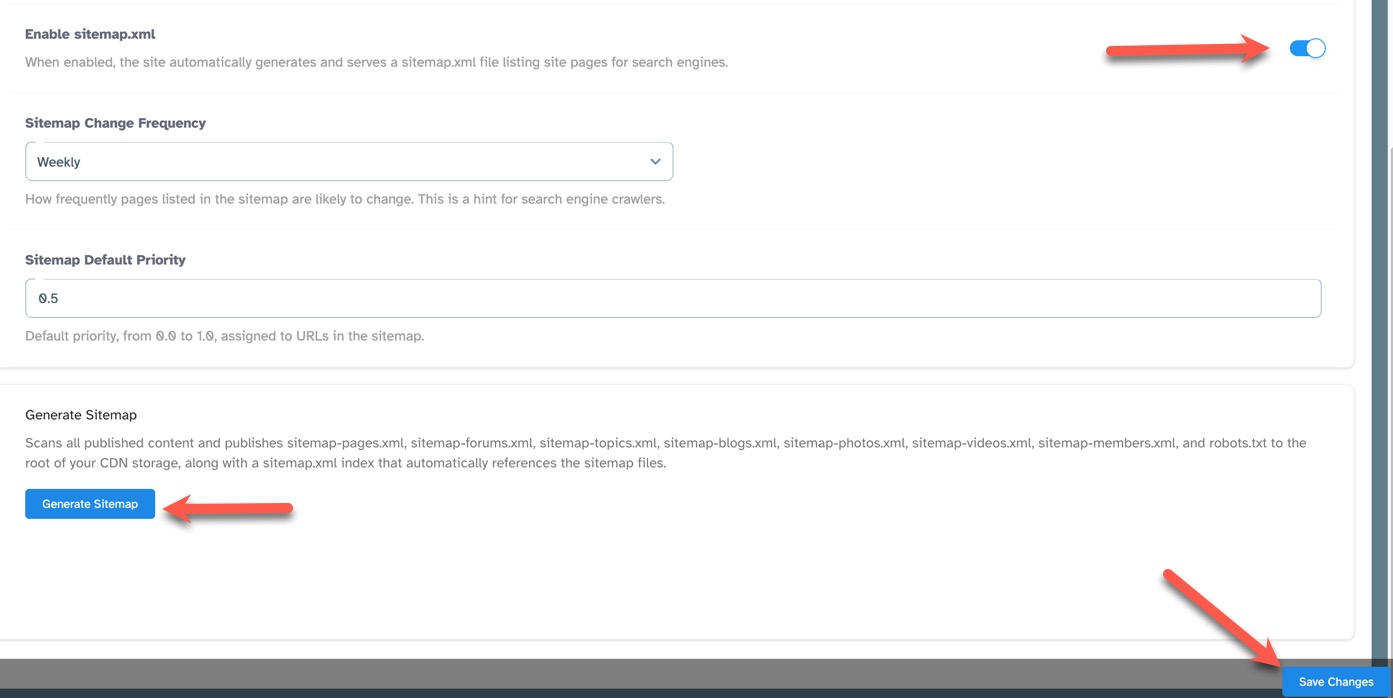
When done with the robots.txt and sitemap, be sure to save the settings by clicking Save Changes at the bottom of the page.
Need help?
If you need any help, drop us a line at our Konnexu Support Portal or ask a question at the Konnexu Community. We're always happy to assist.