Managing Your Konnexu SaaS Subscriptions
The client account portal, or dashboard, is where you'll manage your Konnexu SaaS subscriptions. To upgrade or downgrade your subscription, please submit a ticket when logged in to the client account portal and our team will assist you.
Starting a Subscription (site or service)
To start a site or service, follow the steps below when logged in to the client dashboard. If you are a new client, you can create an account during the ordering process.
- Navigate to Packages in the side menu.
- Click Order Now for the package you want to order.
- Follow the order process to purchase your service.
- Once the order is complete, you need to set up your service by adding the Domain you want to use and choosing the Datacenter closest to your location. Do this by clicking the Setup button. If you navigated away from the page already, you can also set up your service by navigating to My Account > Orders in the side menu and clicking Review on the site order.
Canceling a Subscription
To cancel your subscription, follow the steps below when logged in to the client dashboard.
- Navigate to Services
- Click the Manage gear to the right of the service you want to cancel.
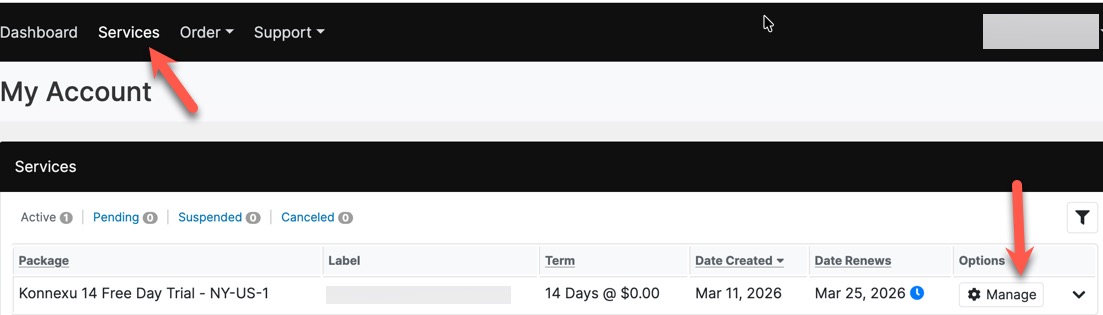
- Choose "Cancel Options."
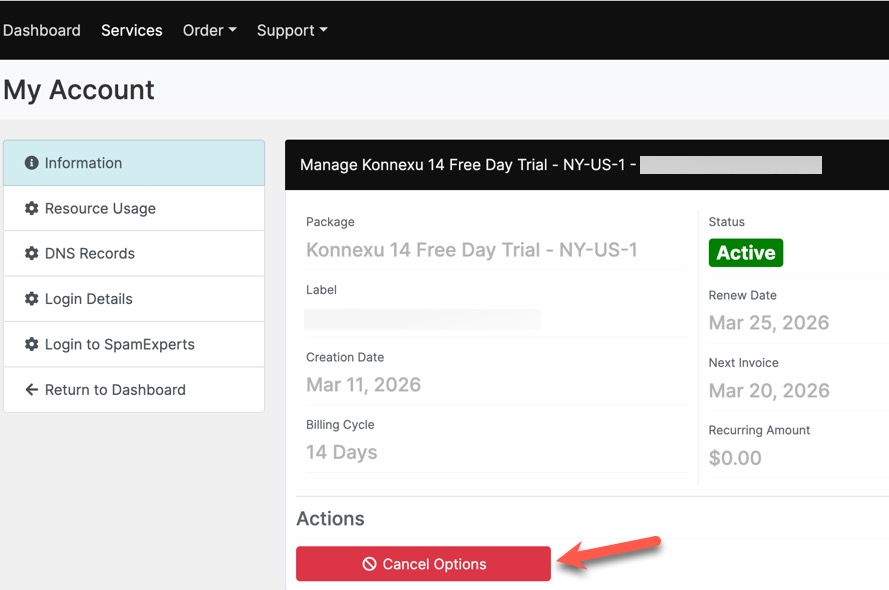
- A popup will open for you to fill in and enter your log in password for security. Once you submit this, our team will work on your cancellation request.
View or Download Invoices
To view or download invoices, when logged in to the client dashboard, either click the Orders button on the right, or click the Order › Order History menu in the main menu.
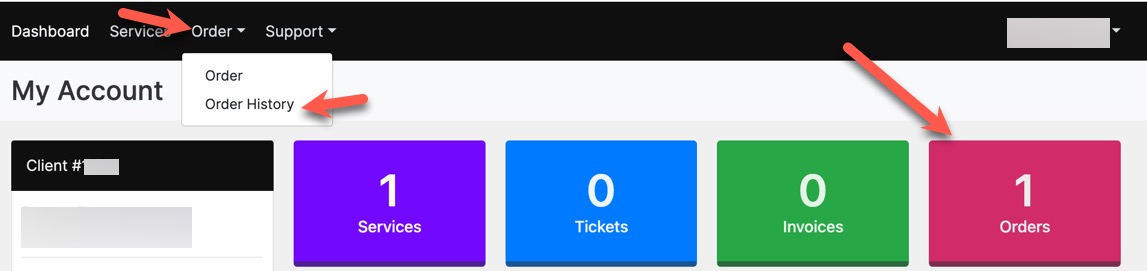 Once in the order history page, click the eye "View" button to view the order.
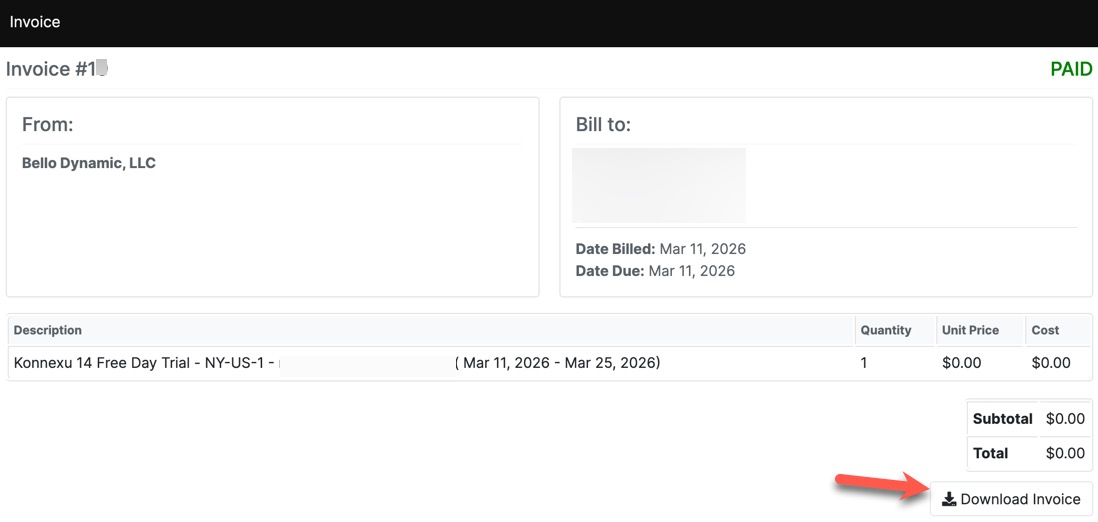
 To view a downloadable invoice, click the "View" button.
 You can then click the "Download Invoice" button to download the invoice.
Need help?
If you need any help, drop us a line at our Konnexu Support Portal or ask a question at the Konnexu Community. We're always happy to assist.