Setting the Photo Album Cover
If your community is set up to have photo albums, you can set the album cover to be any photo within it. The below steps can be done right after you create your albums and upload photos into it, or with an already created album. Either way, you'll need to view the album in order to select a photo as the album cover.
The easiest way to get to your photo albums in order to view and select an album cover is to go into the photo section and click the
"My Albums" menu tab.

-
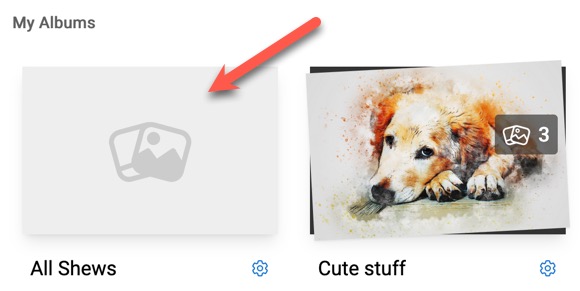
Click the image of album you want to open to view to set a cover photo. Don't click the gear as that edits the album itself. For this tutorial, we want to view photos in the photo album in order to select one.
-
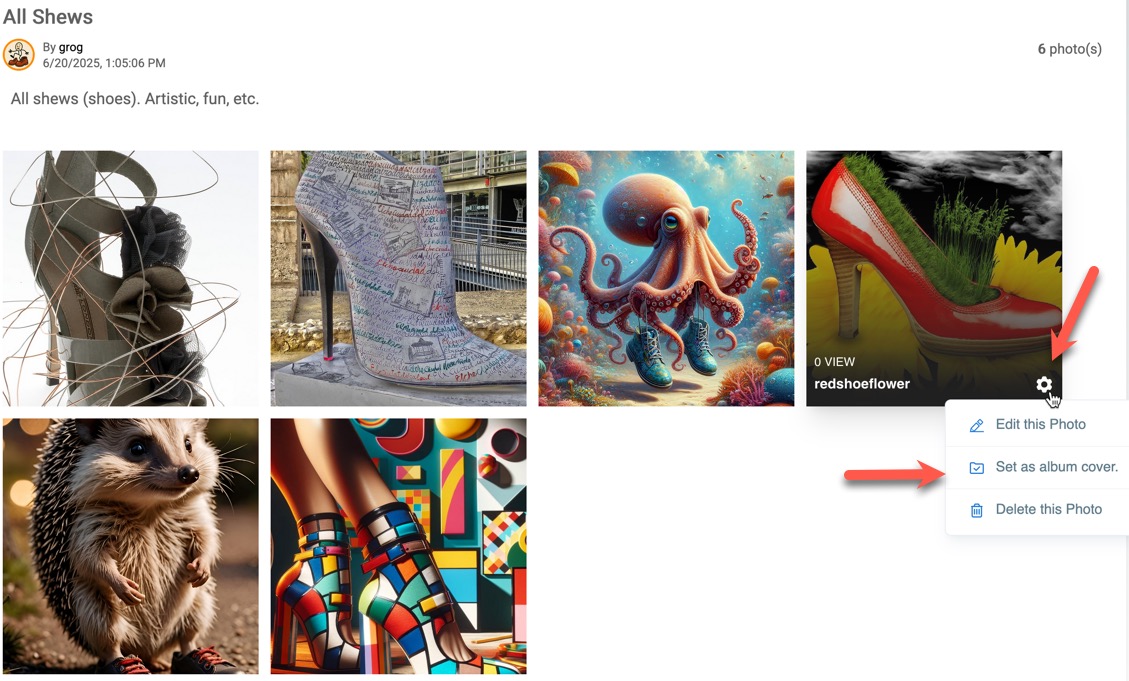
In the photo album view, for the photo you want as the cover, hover over the photo and click the gear. Select "Set as album cover."
-
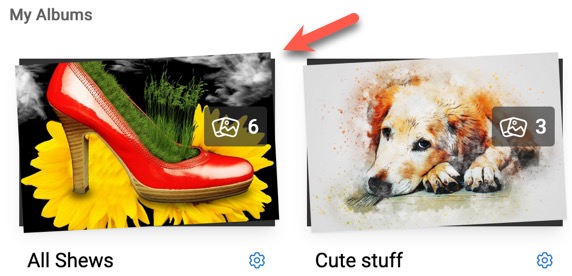
You'll see a success message. If you go back to view "My Albums" you'll see that your photo album now has the cover you chose.
Need help?
If you need any help, drop us a line at our Konnexu Support Portal or ask a question at the Konnexu Community. We're always happy to assist.