Storage System
Using an external storage option for your website photos, videos, music or other uploaded content can help you to keep your site running faster as you'll be offloading those files and saving space on your server for operational needs.
In order to manage the below settings, you'll need to be logged in to your ACP.
Once logged in to the ACP, navigate to Settings > Storage System.
Adding a Storage Server
-
Click "Add New Storage" on the right.

-
Select either FTP or SFTP/SSH for the storage type, depending on the storage you are using.
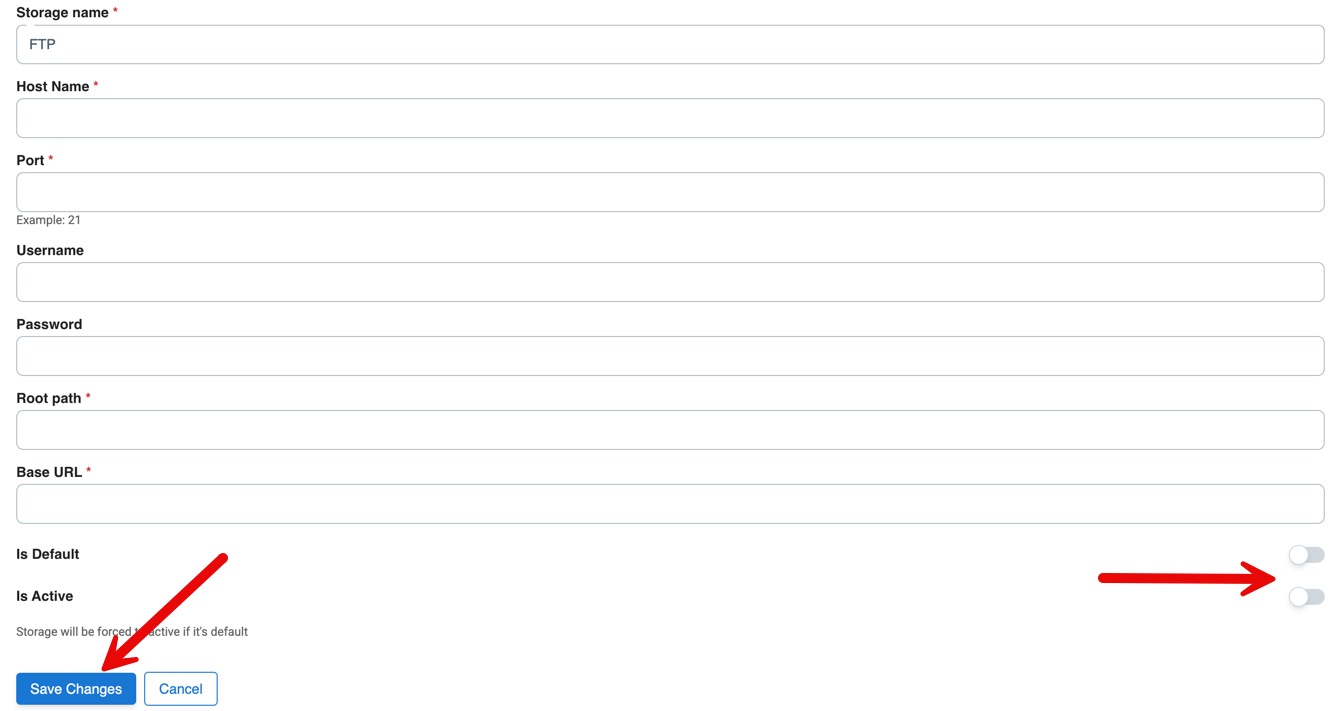
- Enter the storage server details you received when you set up your storage. For the Storage Name, this is for your use, so you'll want to name it something that will let you know which storage system it is in case you add more later.
- Below the storage server settings are two toggles. One to set it as Default and the other to make it Active. If you set it as Default,
it will force it to Active. Be sure to Save Changes when done.
Need help?
If you need any help, drop us a line at our Konnexu Support Portal or ask a question at the Konnexu Community. We're always happy to assist.