Site Access
The Site Access settings allow you to set up your guest view, whether you want a static landing page, or to show the menus.
In order to the site access setting, you'll need to be logged in to your ACP.
-
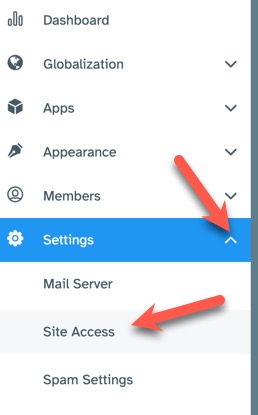
Navigate to Settings > Site Access
-
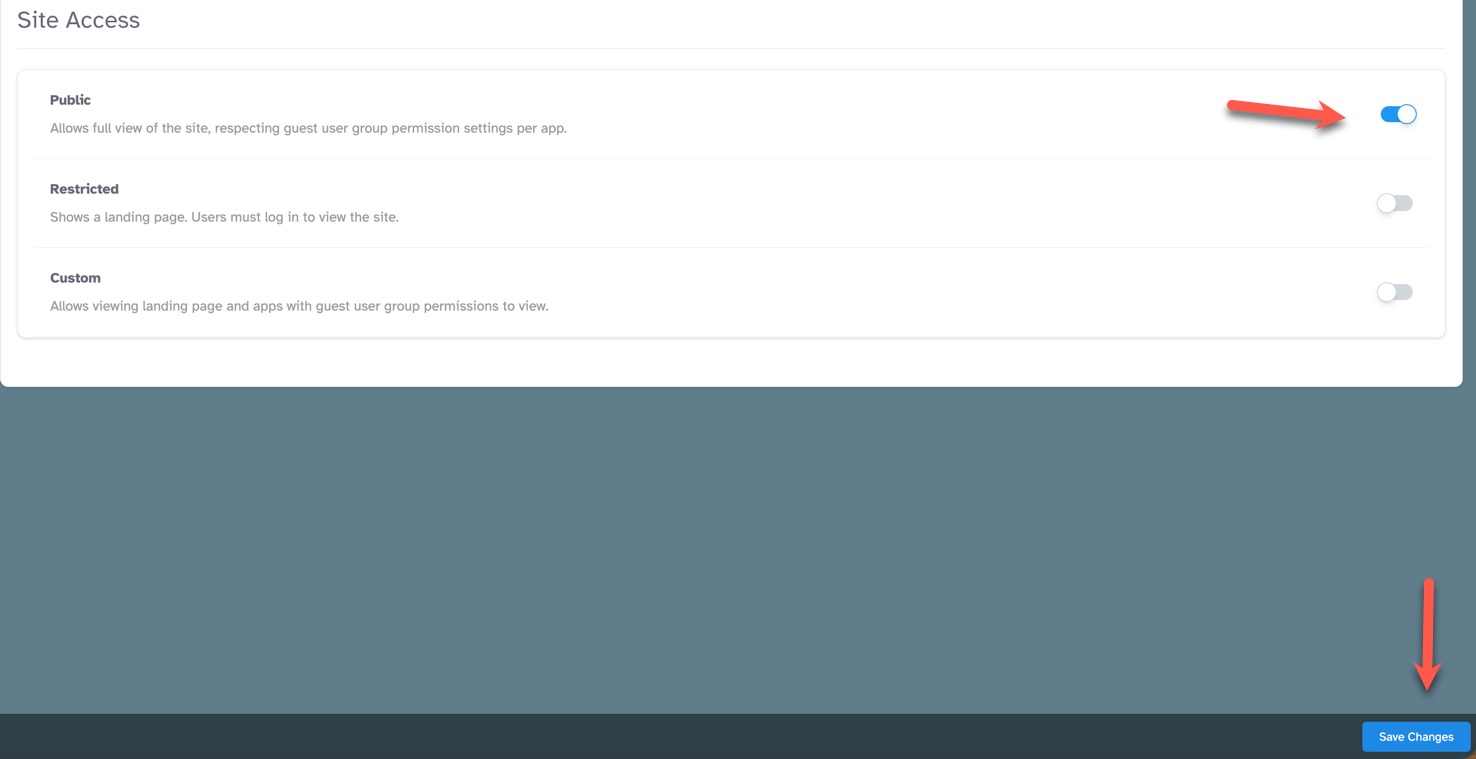
To the far right of the settings, toggle the button On (colored) to enable, or Off (greyed out) to disable the setting. Only one setting can be active. See below for descriptions of each setting.
-
Click the "Save Changes" button at the bottom.
-
Public - Allows full view of the site, respecting guest user group permission settings per app. With this setting enabled, your main menus will show.
- Restricted - Shows a landing page. Users must log in to view the site. With this setting enabled, the main menu is disabled.
- Custom{Coming Soon} - Allows viewing landing page and apps with guest user group permissions to view. You can change the look of this page by using the block manager to add/remove and arrange blocks.
Need help?
If you need any help, drop us a line at our Konnexu Support Portal. We're always happy to assist.