Cache Manager
Cache helps your site to load faster as temporary files are stored for faster access. However, sometimes you may want to clear your cache in order to load fresh files. For example, if you make site color changes, you would clear the site cache after in order to load the new changes. Another example, perhaps you change menu titles. In order to show the new menu titles, the cache needs to clear out the old file and load the new changes.
Note that this won't clear your browser cache. If you still don't see your color, font, or other design changes after clearing the site cache, you'll want to clear your browser cache as it also stores pages in order to load them faster.
Clearing Website Cache
In order to clear your website's cache, you'll need to be logged in to your ACP.
-
Navigate to Maintenance > Cache Manager
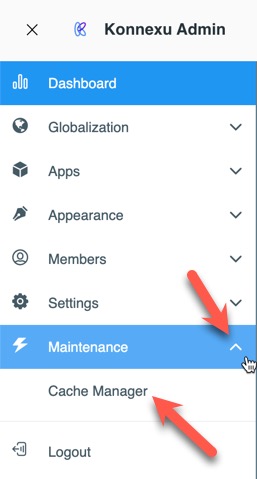
-
Click the "Clear Cache" button.

Need help?
If you need any help, drop us a line at our Konnexu Support Portal or ask a question at the Konnexu Community. We're always happy to assist.