Privacy & Terms of Service (TOS)
In order to manage these pages and setting, you'll need to be logged in to your ACP.
The Privacy Policy and Terms of service pages are easily managed via the page manager and allow you to utilize the language feature to add translations for the various language packs you have installed, if you have any.
To manage the Privacy Policy or TOS, navigate to Appearance >> Pages and to the right of each page, click "Edit" in order to edit the page.

Editing the Privacy Policy or Terms of Service (TOS)
For this tutorial, we will edit the Privacy Policy but the process is the same for the TOS.
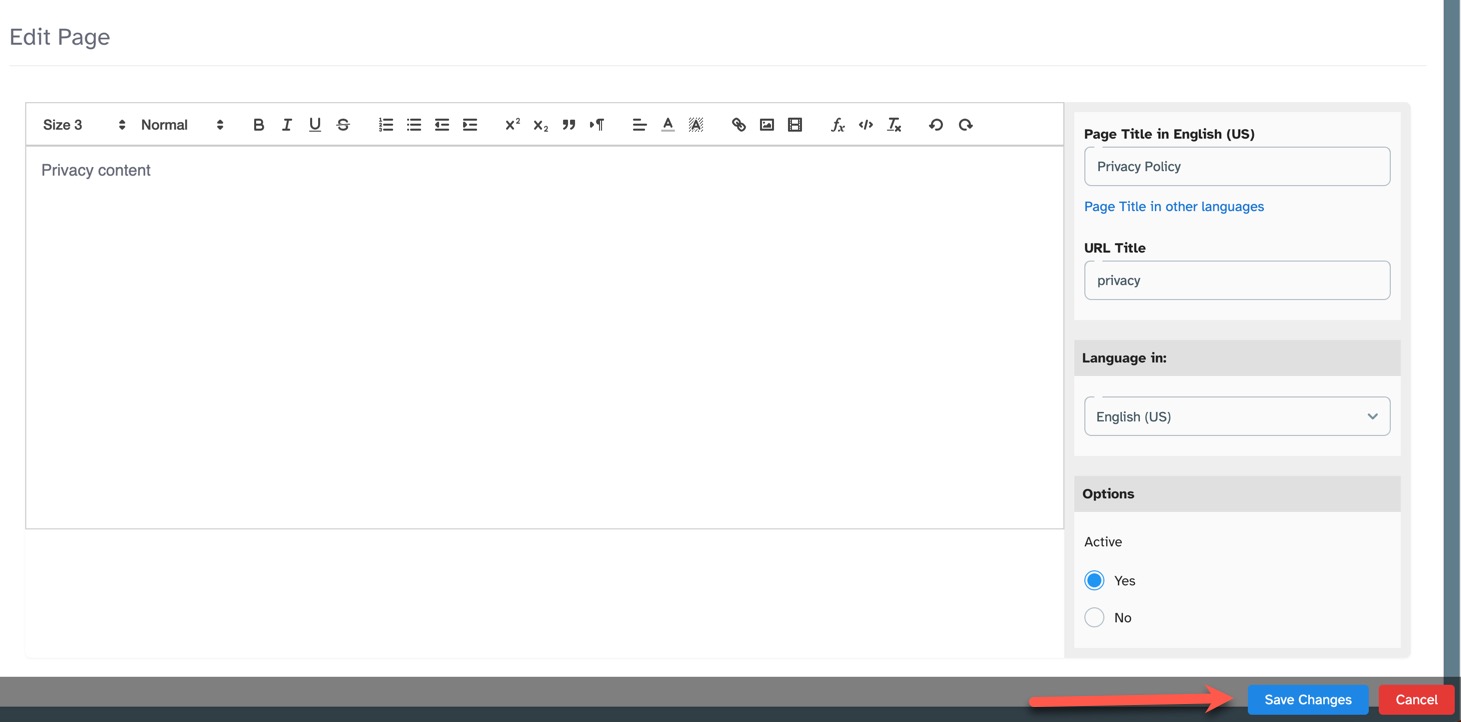
When in the Edit page, you'll see an editor to the left; to the right is the page Title, language selector, active/inactive button; and a save button at
the bottom.
Editing the Content
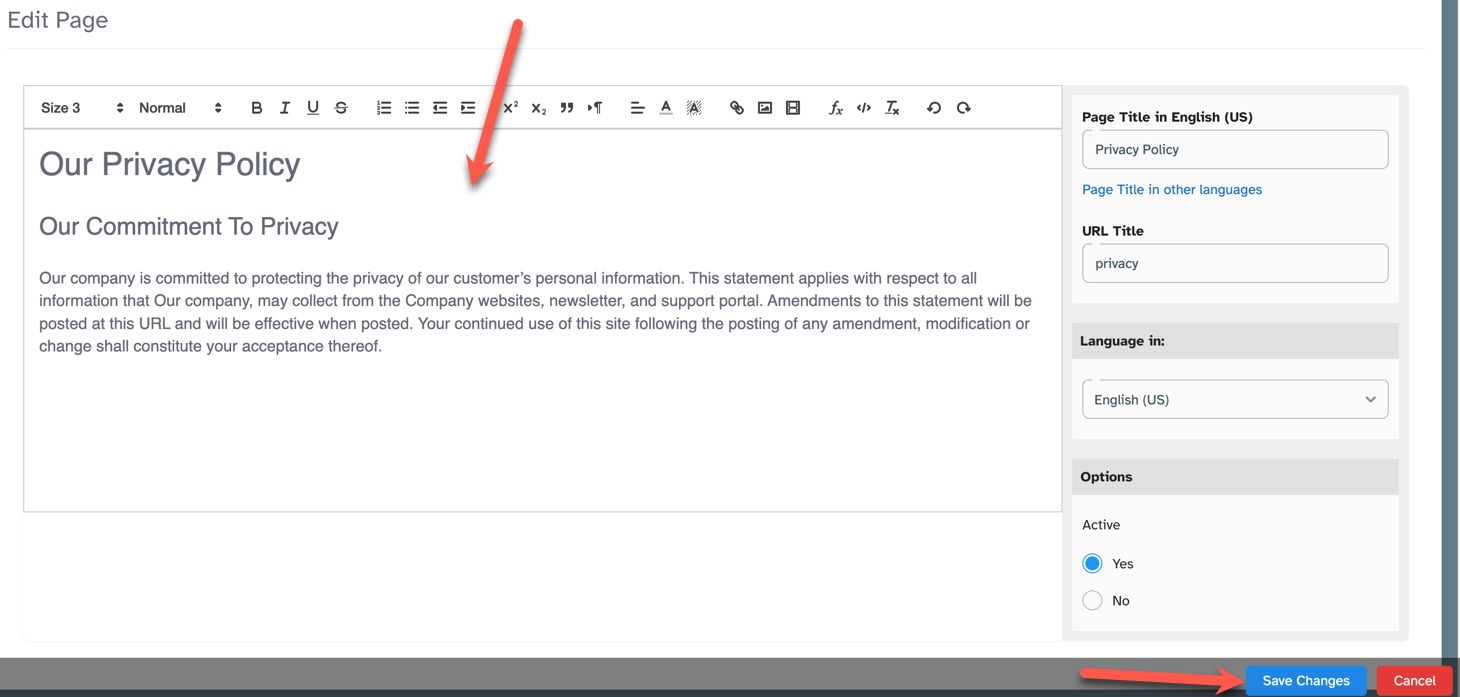
The left input box is for the content of these pages. Either copy/paste or type directly into the box. The editor allows you to format these pages nicely. Once done, you can either move on to adding your translations (see below) if you have other languages created, or click the "Save changes" button if you're done.
Adding Translations
If you have multiple languages, you can easily add your translations for each one. When in the editing page, do the following:
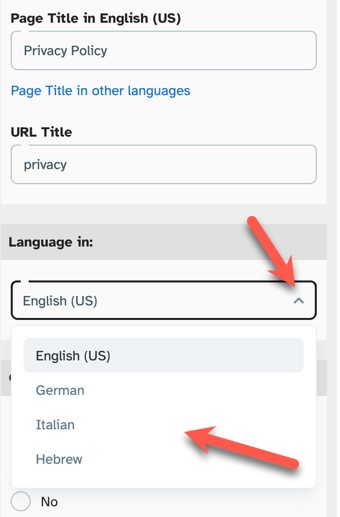
- Click the "Language In" drop-down selector and choose your language.
- Add your translated content to the left and then click the "Save changes" button when done. (See image above for Editing Content)
-
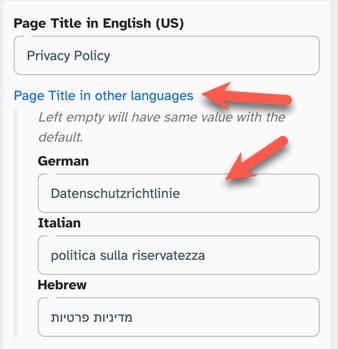
For the page title, click "Page Title in Other Languages" and add the title for each one. Be sure to save changes when done.
Need help?
If you need any help, drop us a line at our Konnexu Support Portal or ask a question at the Konnexu Community. We're always happy to assist.