Integrations - Konnexu Community Builder
YouTube and Iframely are popular video sharing integrations that allow videos to be embedded to your site. This doesn't impact video uploading for users to upload videos from their computer. It is only for embedding a video via the video URL from YouTube or other video sharing sites (via Iframely). Both of these can have a cost from the respective services. Each offers a certain amount of free "hits or quota". We suggest that you read each services terms of service before connecting the APIs. These are optional and you don't need to enable them if you don't want to allow video embedding.
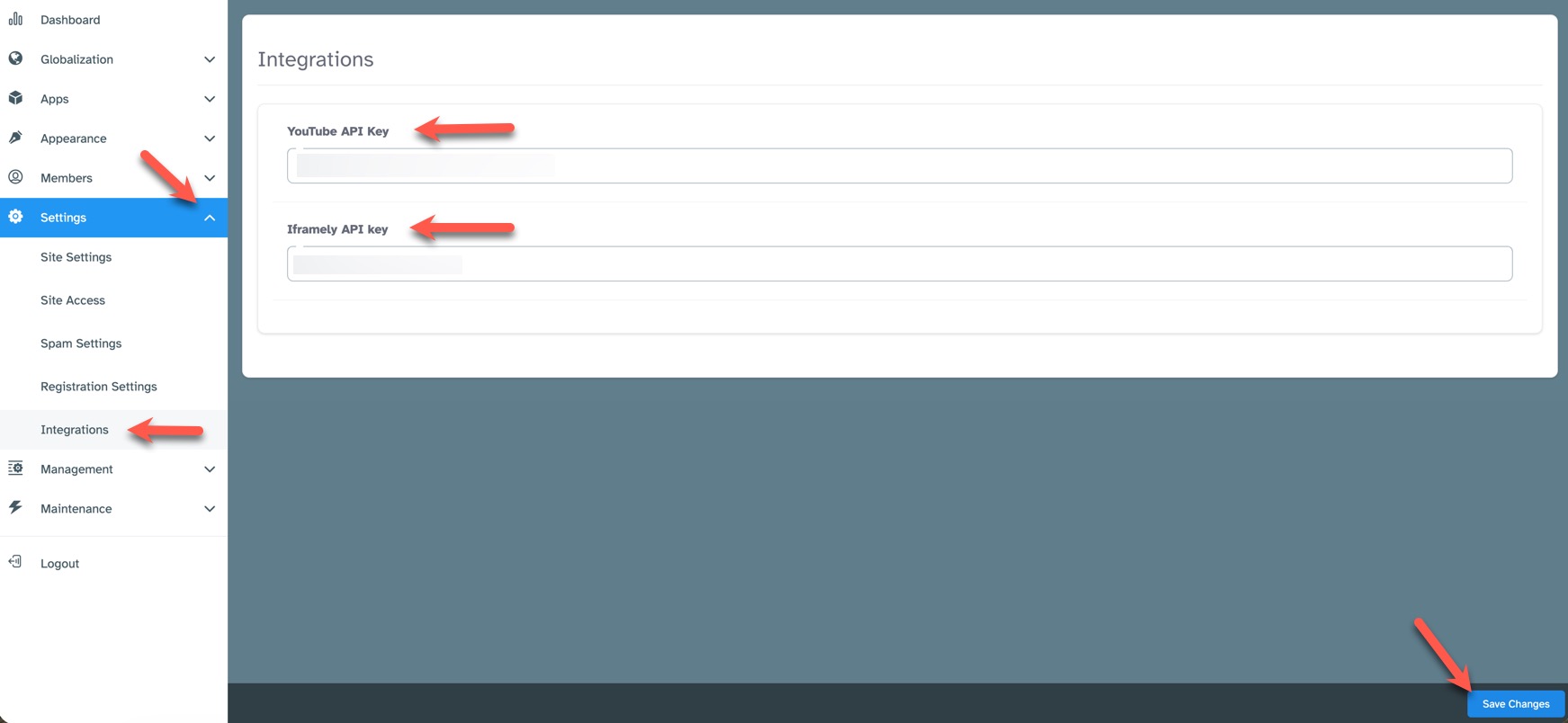
In order to set the API keys for YouTube and/or Iframely, you'll need to be logged in to your ACP and navigate to Settings >> Integrations.
YouTube
To get a YouTube API key, you need to use the Google Cloud Console to create a project and enable the YouTube Data API v3. Please don't set up the key with restrictions.
The API key itself is free for a daily quota of 10,000 calls per YouTube. Please verify this info at YouTube as they can change their quotas.
In your Konnexu ACP settings, fill in the "YouTube API Key" input box (see screenshot above) with the key you set up in your YouTube account.
Iframely
To get an Iframely API key, you need to follow the API instructions at Iframely. Iframely states on their pricing page that they allow 2,000 hits per month and their documentation details what a hit is. We suggest you contact Iframely if you need more info on how their service works.
In your Konnexu ACP settings, fill in the "Iframely API key" input box (see screenshot above) with the API key you got from Iframely.
Be sure to "Save Changes" after entering the API key(s).
Need help?
If you need any help, drop us a line at our Konnexu Support Portal or ask a question at the Konnexu Community. We're always happy to assist.