Themes
Konnexu themes are created using the Tailwind CSS framework.
In order to manage the below settings, you'll need to be logged in to your ACP.
Once logged in to the ACP, navigate to Appearance >> Themes.
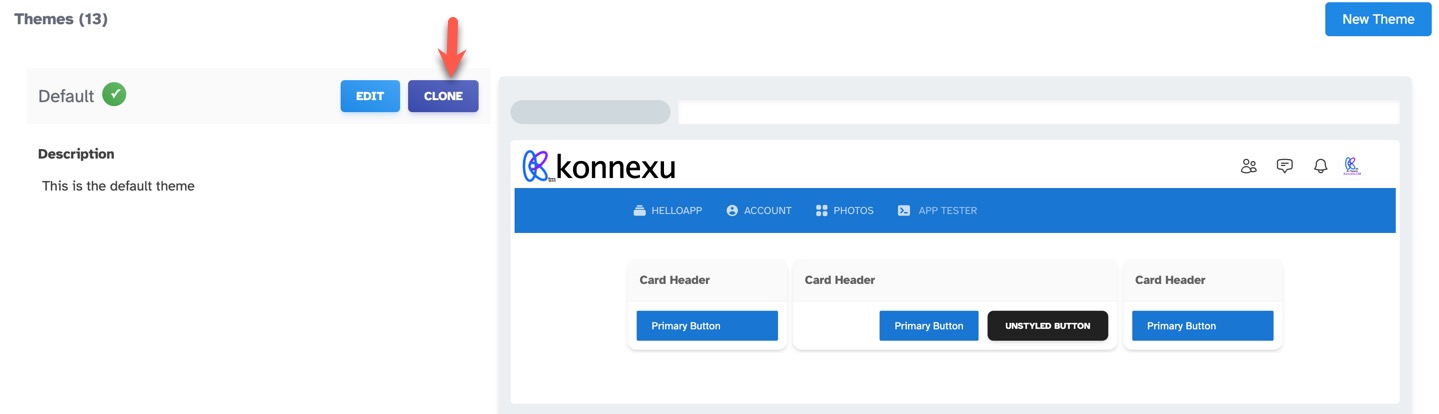
How to Clone a Theme
Click the "Clone" button for the theme you want to clone. This will make a copy of the theme for you to work on. We recommend making a copy of the default
theme before making any changes.
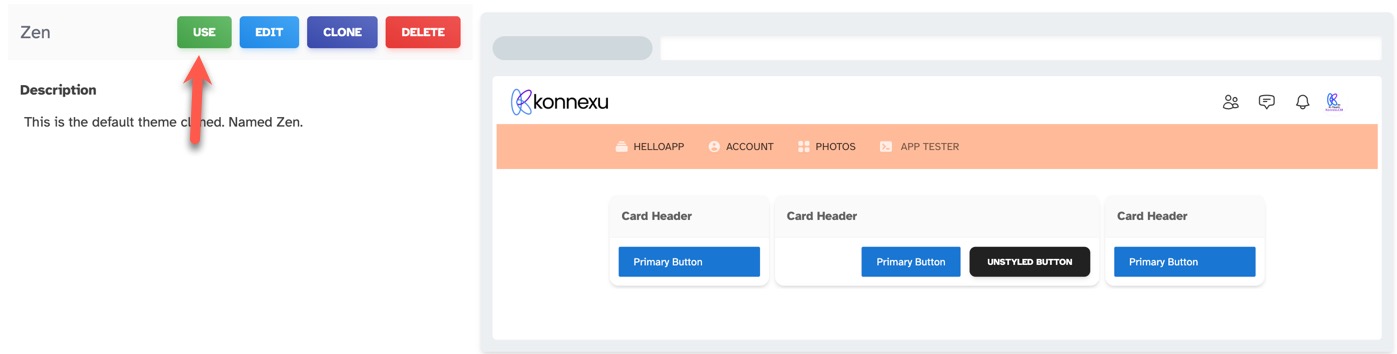
Setting a Theme as Default
Click the "Use" button for the theme you want to use as the default theme. Please be sure to clear site cache.
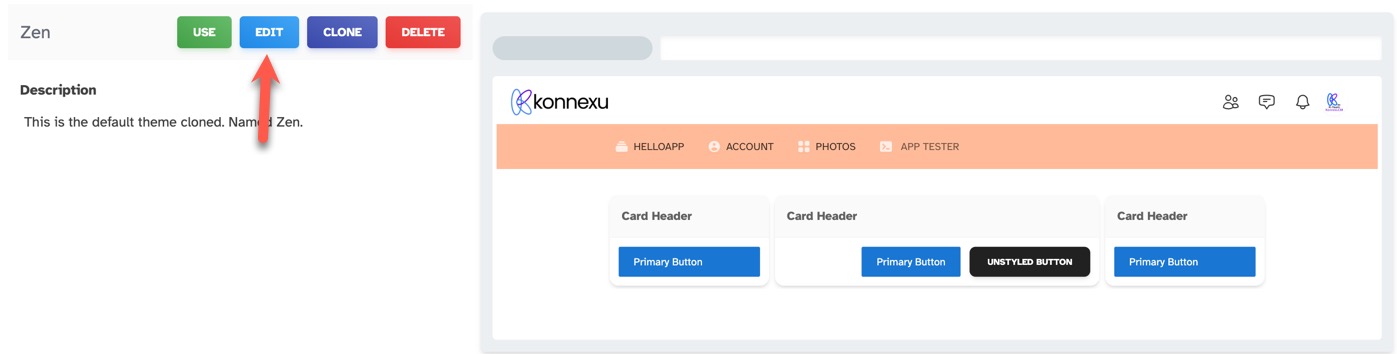
Editing a Cloned Theme
Click the "Edit" button for the cloned theme you want to edit.
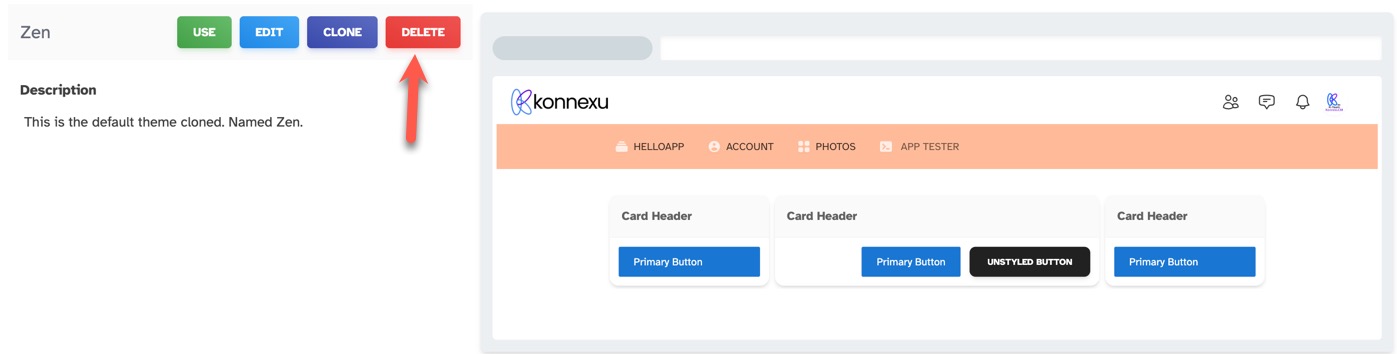
Deleting a Cloned Theme
Click the "Delete" button for the cloned theme you want to delete. If you don't see a delete button, this is due to you having the theme set as the
default, active theme. Please choose another theme as the default, active theme. Active themes cannot be deleted.
Need help?
If you need any help, drop us a line at our Konnexu Support Portal or ask a question at the Konnexu Community. We're always happy to assist.