Default Avatar
You can choose to set an image for deleted users. This image will appear in the forum if the user has posts in threads. This helps keep continuity in your forum as the deleted user's content could make forum posts hard to understand with missing posts. As we keep the post "holder" and show "deleted user," others reading will not have to wonder why one post seems to be answering something completely different from the post above it.
If you do not set an image, the default avatar that ships with Konnexu will show.
In order to set the default avatar, you'll need to be logged in to your ACP.
Navigate to Appearance >> Profile Defaults
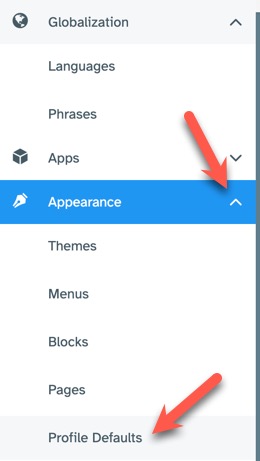
Setting the Default Avatar
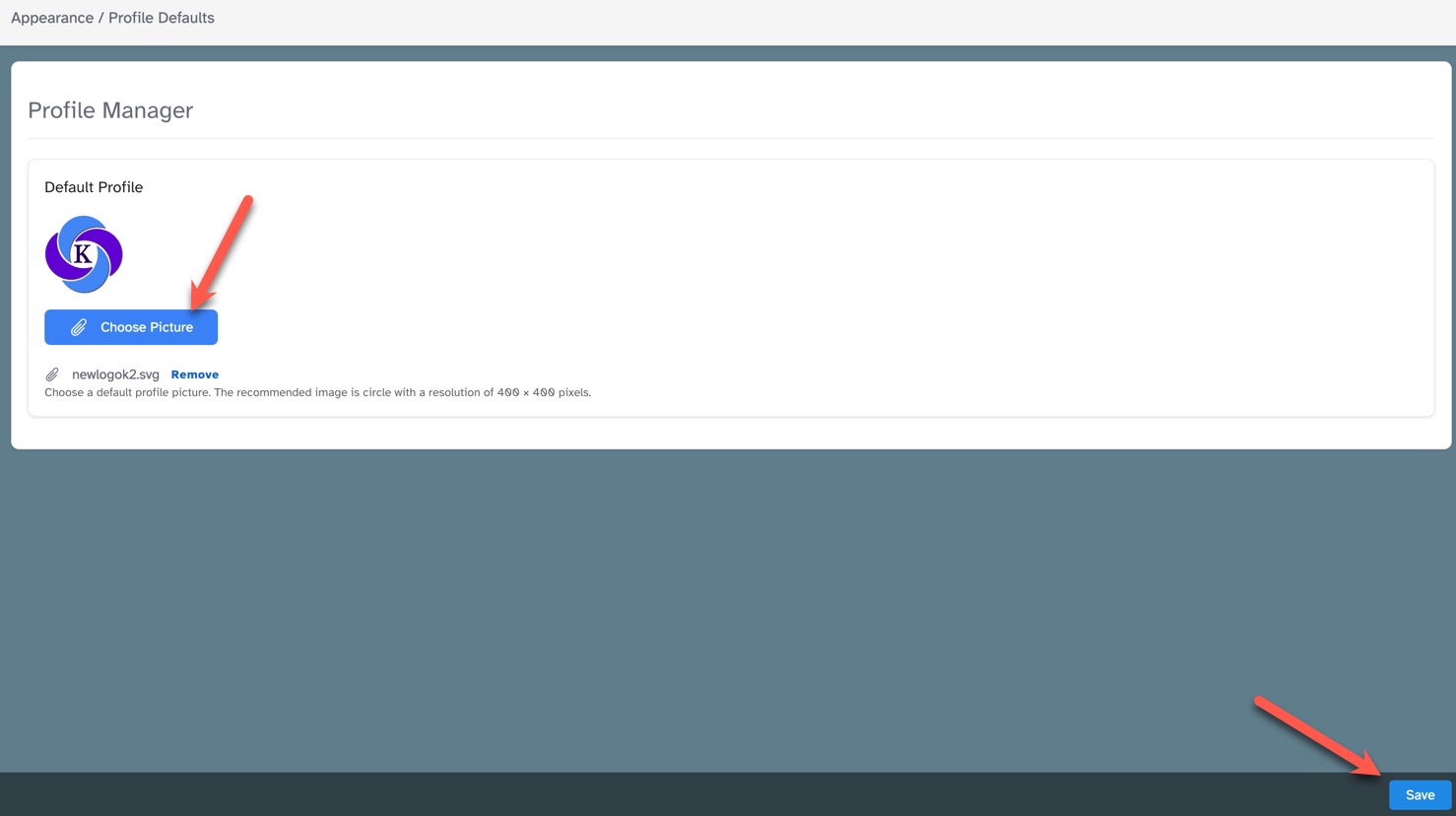
Click "Choose Picture" and choose an image on your computer. We use SVG images, but you can use any of the accepted
formats (SVG, PNG, JPG, GIF). The recommended size is a circle with a resolution of 400 × 400 pixels. Experiment with other sizes as some
larger or square images will work in the circle format.
Need help?
If you need any help, drop us a line at our Konnexu Support Portal or ask a question at the Konnexu Community. We're always happy to assist.