Design, Navigation, and Page Settings
The articles in this section will help you set up your site navigation, pages, blocks, brand colors, style and theme. These are basic guides for theming or styling your site. If you need more customizations, please contact our team for a quote.
Working with Themes
In order to work with themes, you'll need to be logged in to your ACP.
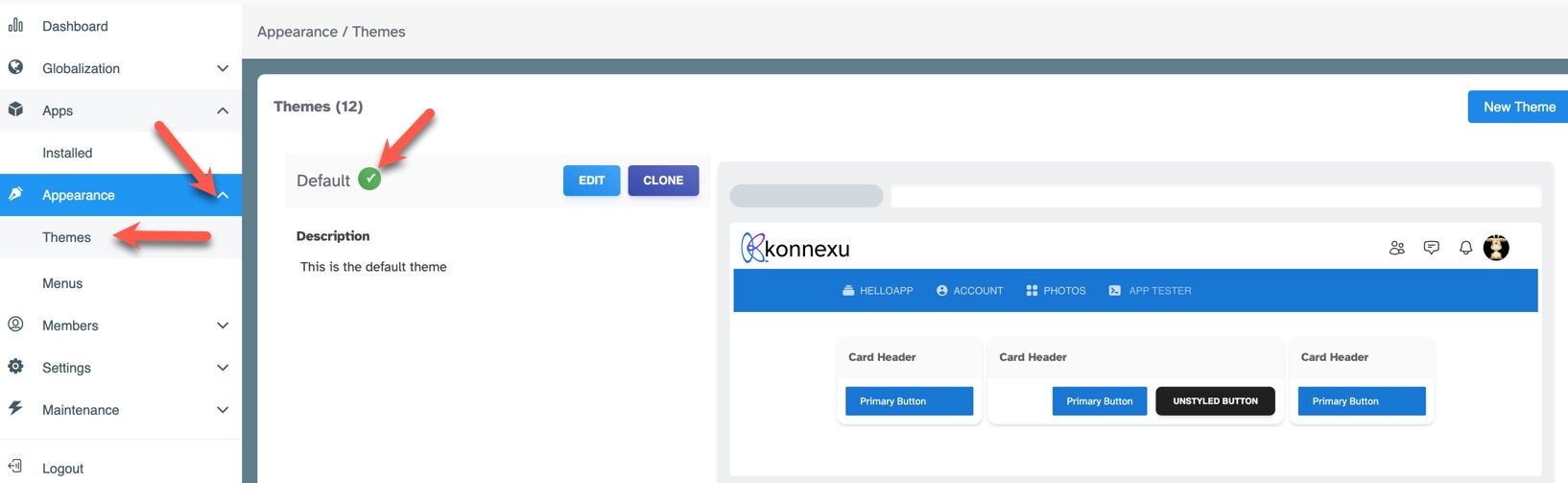
Once logged in to the ACP, navigate to Appearance >> Themes. You'll see a list of themes to the right, with the currently used theme showing a green checkmark.
Need help?
If you need any help, drop us a line at our Konnexu Support Portal or ask a question at the Konnexu Community. We're always happy to assist.