Activity Feed App - Konnexu Community Builder
Info
You can find tutorials for accessing app settings on the App Extensions page.
Activity Feed Settings
The activity feed, or wall, is where members can see what's happening on your site as people post statuses and content. We include settings for you to control how your activity shows on your site.
To manage activity feed settings, click the "Settings" tab. You'll see the following settings:
Friends Only
Set to enabled if you would like news feed to only be displayed to the user and their friends.
Display Limit
Limit how many feeds should be displayed within the main news feed after the initial 30 items. When set, this would show a "Load More" when the limit is reached and then more items whould show - based on the limit.
Feed Timestamps
Sets the date and time format that shows for feed posts. Default is MMM d, h:mm a . There are allowed formats which we will list after
the explanation of the formats.
Explanation of the format:
| Timestamp | Description |
|---|---|
| MMM | Abbreviated month (e.g., Jan, Feb, Mar, etc.) |
| d | Day of the month (e.g., 1, 2, 3, etc.) |
| h | Hour in 12-hour format (e.g., 1, 2, ..., 12) |
| mm | Minutes (e.g., 00, 01, 02, ..., 59) |
| a | AM or PM designation |
| EEEE | Represents the full name of the day of the week (e.g., "Monday", "Tuesday"). |
| hh | Represents the hour in a 12-hour format, ranging from 01 to 12. |
| HH | Represents the hour, ranging from 00 to 23 in a 24-hour format. |
| ss | Represents seconds, ranging from 00 to 59. |
| 'T' | A literal character 'T' that acts as a separator between the date and time components. |
The following are valid formats. To the left is the correct timestamp and to the right is an example of how it will look.
| Timestamp | Description |
|---|---|
| MMM d, h:mm a | Jul 28, 10:30 am |
| MMMM d, yyyy | July 28, 2025 |
| yyyy-MM-dd | 2025-07-28 |
| yyyy/MM/dd | 2025/07/28 |
| dd-MM-yyyy | 28-07-2025 |
| dd/MM/yyyy | 28/07/2025 |
| MM/dd/yyyy | 07/28/2025 |
| EEE, MMM d | Mon, Jul 28 |
| EEEE, MMMM d, yyyy | Monday, July 28, 2025 |
| h:mm a | 1:05 PM |
hh:mm:ss a |
02:23:45 PM |
HH:mm:ss |
14:30:15 |
yyyy-MM-dd'T'HH:mm:ss |
2025-07-28T12:46:00 |
yyyy-MM-dd HH:mm:ss |
2025-07-28 15:45:00 |
User Group Settings
Important!
Any user group settings that say "all" such as "Can edit all..." are meant for admin, staff, moderators as this allows the user to edit/delete, etc. items submitted by any members.
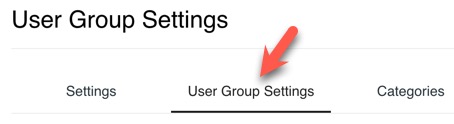
To manage user group settings, click the User Group Settings tab. (We have reused the screenshot from other app settings. There are no category settings for the activity feed.)
Can delete own feed?
This allows the user to delete their own feed posts.
Can delete all feeds?
This allows the user to delete any feed posts, including those from other users. Once a post is deleted, it cannot be retrieved.
Can edit own user status?
This allows the user to edit their status post.
Can edit all user status?
This allows the user to edit any feed posts, including those from other users. Once a post is edited, it cannot be reverted back to original.
Can share a link.
This controls whether links can be shared in the activity feed post.
Need help?
If you need any help, drop us a line at our Konnexu Support Portal or ask a question at the Konnexu Community. We're always happy to assist.