Blog App - Konnexu Community Builder
Info
You can find tutorials for accessing app settings and managing categories on the App Extensions page.
Blog Settings
To manage blog settings, click the "Settings" tab. You'll see the following settings:
Pagination Style
This controls how the blog browse page is set up to view more blogs.
- Scroll down to load more items
- Use Next and Previous buttons
- Use Pagination with page number
Allow posting on Main Feed
This setting determines whether blogs will show in the main activity feed.
Category is required
If you want members to have to select a category, enable this setting.
User Group Settings
Important!
Any user group settings that say "all" such as "Can edit all..." are meant for admin, staff, moderators as this allows the user to edit/delete, etc. items submitted by any members.
To manage user group settings, click the User Group Settings tab.
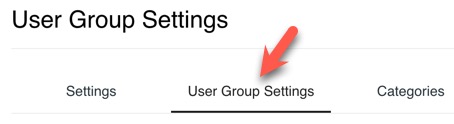
You'll see a drop-down menu to select each user group and the settings for them. Note that not all user groups can use all settings. For example, user groups that can't log in cannot comment or do any actions that require log in. As most of the settings are self-explanatory, we will go over some that may need more explanation. However, should you need more help, please feel free to contact us.
Photo max upload size
This is the max photo file size you want to allow this user group to be able to upload for the blog photo that shows above the blog when viewing. This photo also shows next to the blog in the browse page.
Professional Author Settings 1 {Coming Soon}
Enabling the Author setting will create a new Author member level. This level has special permissions. You can choose to allow other member levels to use these settings as well.
Need help?
If you need any help, drop us a line at our Konnexu Support Portal or ask a question at the Konnexu Community. We're always happy to assist.
-
Requires the E-Commerce App. This allows members to earn from their content. ↩